The App You Probably Haven't Opened in Months
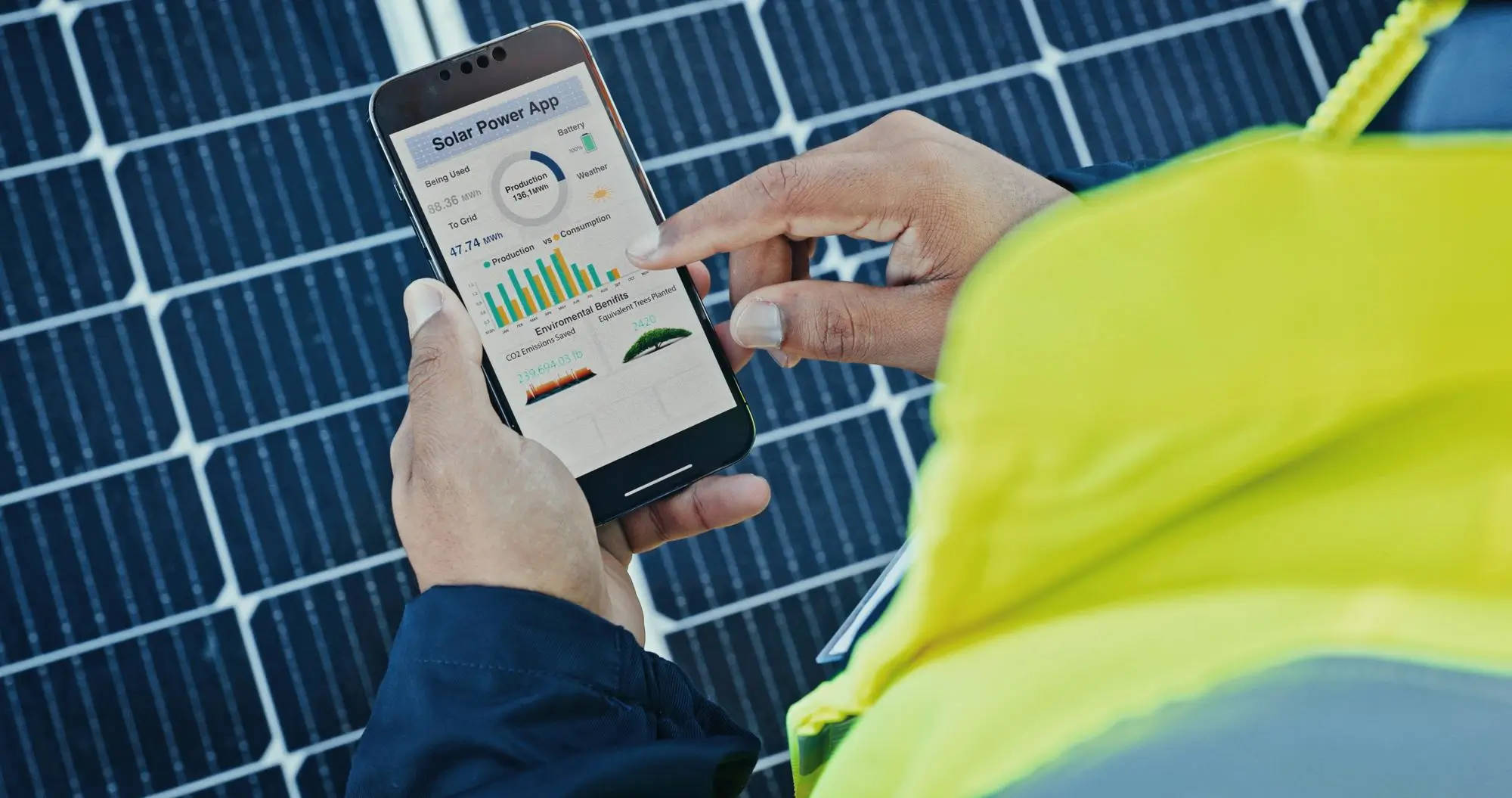
If you have solar panels, chances are you have a monitoring app sitting on your phone somewhere, possibly one you set up during installation and haven’t opened since. That’s a missed opportunity, because your monitoring app is one of the most useful tools you own for making sure your system is actually delivering what you paid for.
With 2026’s monitoring platforms, we’re well past simple “how many kWh did I generate today” dashboards. Today’s apps offer AI-powered fault detection, weather-integrated forecasting, detailed consumption breakdowns, and in some cases, direct control over battery and load scheduling, all from your phone.
This guide reviews the monitoring platforms most relevant to Sri Lankan solar owners in 2026, what each does well, and how to get genuine ongoing value from whichever one you’re using.
What Makes a Monitoring App Actually Useful
Before comparing specific platforms, it’s worth being clear about what separates a genuinely useful monitoring app from one that just displays numbers.
- Real-time generation and consumption data, not just generation alone, since comparing the two is what reveals your actual self-consumption ratio
- Historical data and trend analysis, so you can spot gradual performance decline rather than just today’s snapshot
- Fault and anomaly alerts, ideally via push notification, so problems don’t go unnoticed for weeks
- Weather integration for generation forecasting
- Battery monitoring (state of charge and state of health) if you have storage installed
- Accessible historical export (for your own records or for warranty claims)
With that framework in mind, here’s how the major platforms available to Sri Lankan solar owners stack up.
Platform-by-Platform Review
Huawei FusionSolar App
Given Huawei’s strong inverter market presence in Sri Lanka, FusionSolar is likely the most widely used monitoring app among local solar owners. It offers a clean, comprehensive dashboard covering generation, consumption, and battery data (where applicable), along with AI-based fault detection that has improved noticeably in recent platform versions. String-level monitoring gives visibility down to individual panel groups, which is valuable for catching localised issues like shading or panel faults.
Best suited for: Homeowners and businesses with Huawei inverters wanting a full-featured, actively maintained app with strong local support availability.
Sungrow iSolarCloud
Sungrow’s platform covers both residential and commercial-scale monitoring well, with a particularly strong battery management interface for hybrid systems. The mobile app provides real-time alerts and a reasonably intuitive historical data view, making it a solid choice for households wanting deeper battery insight.
Best suited for: Hybrid system owners with Sungrow inverters who want detailed battery state-of-charge and cycling data.
SMA Sunny Portal / EnnexOS
SMA has a long-standing reputation for detailed technical monitoring, and their platforms reflect this, offering granular string-level data and strong historical reporting. ennexOS, their more recent enterprise-focused platform, adds fleet-level monitoring capability, which is particularly relevant for businesses or property managers overseeing multiple sites.
Best suited for: Technically minded users and commercial operators who want maximum data granularity and don’t mind a slightly steeper learning curve.
Fronius Solar.web
Fronius’s monitoring platform is well regarded for its clean historical data presentation and reliability. It doesn’t have quite the same AI-forward feature set as some competitors, but the fundamentals – accurate data, good uptime, and straightforward interface – are consistently solid.
Best suited for: Owners who prioritise stable, no-frills, dependable monitoring over cutting-edge AI features.
Growatt ShinePhone
Given the growing presence of Growatt inverters in the Sri Lankan residential market due to competitive pricing, ShinePhone is increasingly relevant. It covers the core monitoring functions well, with a straightforward interface that suits homeowners who want essential data without excessive complexity.
Best suited for: Budget-conscious residential installations wanting reliable, easy-to-use basic monitoring.
Independent / Third-Party Platforms (e.g., Solar Analytics)
For households or businesses with multiple inverter brands, or those wanting analysis independent of the manufacturer’s own platform, third-party monitoring services can aggregate data across different equipment into a single dashboard. These typically involve a modest subscription fee but offer brand-agnostic benchmarking and, in some cases, more sophisticated AI analytics than manufacturer apps provide natively.
Best suited for: Multi-site commercial operators or residential users with mixed or older equipment who want a unified, brand-independent view.
Getting More From the App You Already Have
Regardless of which platform your system uses, here’s a simple monthly routine that turns a passive app into an active management tool:
- Week 1: Check your monthly generation total against the same month last year (or against your system’s expected output if newly installed) to catch any significant decline early
- Week 2: Review your self-consumption ratio for the past month; if it’s below 65-70% for a household without EV or heavy daytime loads, consider whether load shifting adjustments could help
- Week 3: Scan for any fault alerts or unusual dips in the daily generation graph that might indicate shading, a panel issue, or an inverter fault worth investigating
- Week 4: If you have battery storage, check the state-of-health trend to catch any unexpected capacity decline early, well before it becomes a functional problem
This 10-minutes-a-month habit is often enough to catch performance issues months before they’d otherwise be noticed, potentially saving significant lost generation value over a system’s lifetime.
Common Mistakes or Myths
- Myth: “All monitoring apps are basically the same.” Feature depth varies considerably, particularly around AI fault detection, battery analytics, and weather integration. It’s worth understanding what your specific app does and doesn’t offer.
- Mistake: Setting up the app during installation and never opening it again, missing the early warning signs of gradually declining performance.
- Mistake: Not enabling push notifications for fault alerts, relying instead on periodically remembering to check the app manually.
- Myth: “If the app shows a number, my system must be performing correctly.” Numbers need context; comparing against expected output, historical trends, and industry benchmarks (like performance ratio) is what reveals whether a number is actually good.
- Mistake: Not knowing your login credentials for the monitoring platform, particularly relevant for homeowners who purchased a home with an existing solar installation and never obtained account access from the previous owner or installer.
Expert Recommendations
If you’re not sure which monitoring platform your system uses, or you’ve lost access to your account, this should be one of the first things resolved with your installer or maintenance provider. Monitoring access is a fundamental part of managing your solar investment, not an optional add-on.
For households and businesses finding their manufacturer’s app limiting, particularly around predictive analytics or multi-system aggregation, a third-party monitoring layer is worth evaluating, especially for commercial operations managing multiple sites.
Whatever platform you use, set a recurring monthly reminder to review your data using the routine outlined above. Consistency in checking is what actually delivers value; the most sophisticated monitoring platform in the world provides no benefit if it’s never opened.
Hayleys Solar’s installations include full monitoring setup and account handover as standard, and our team can also help restore access or configure monitoring for systems originally installed by other providers.
Frequently Asked Questions
There isn’t a single “best” app independent of your hardware; the right choice is almost always the platform matching your inverter brand, since these offer the deepest integration and most accurate data for your specific equipment. The comparison above should help you understand what to expect from your particular platform.
Check the inverter unit itself; the brand and model are typically printed on a label on the unit. Alternatively, your original installation documentation or your solar installer can confirm this if you’re unsure.
Most manufacturer apps (Huawei FusionSolar, Sungrow iSolarCloud, SMA Sunny Portal, Fronius Solar.web, and Growatt ShinePhone) are included free with your inverter purchase. Third-party independent platforms typically charge a modest subscription fee, usually in the range of USD 50–150 annually for residential use.
Small discrepancies can occur due to metering differences or billing cycle timing, but numbers should be broadly consistent. Significant, consistent discrepancies are worth investigating with your installer, as they may indicate a metering or configuration issue.
This varies by platform and inverter capability. Many modern hybrid inverter apps allow you to adjust battery charge/discharge settings, set export limits, and, in some cases, control connected smart loads directly from the app, in addition to displaying data.
Conclusion
Your solar monitoring app is a genuinely powerful tool that most Sri Lankan solar owners underuse. Whether you’re working with Huawei, Sungrow, SMA, Fronius, Growatt, or a third-party platform, the core habit that matters most is checking in regularly and understanding what the numbers are telling you, not simply which brand of app you happen to have.
If your current monitoring setup feels limited or inaccessible, or you’re simply unsure how to interpret what you’re seeing, the Hayleys Solar team is happy to walk through your specific platform with you or discuss upgrade options for more advanced AI-driven monitoring.